Case Study
Open Data Jabar Improving Experience
Open Data Jabar Improving Experience
Service
UI/UX Design
Category
Website
Company
Jabar Digital Service
Visit Website
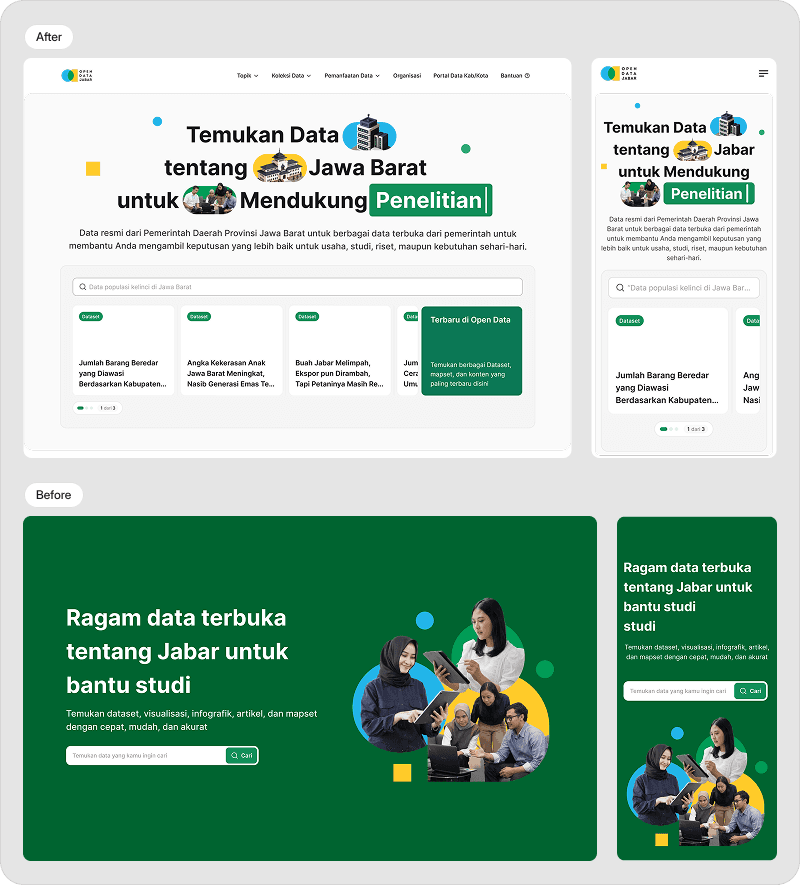
Improving dataset discoverability through homepage restructuring and predictive search redesign
Overview
Open Data Jabar is a public platform providing access to datasets, maps, and visualizations from the West Java government.
The platform serves diverse users:
Policy makers
Researchers
Journalists
Students
General public
Despite having extensive datasets available, users struggled to efficiently discover relevant data.
My goal was to transform the platform from a static information portal into a guided discovery experience.
The Problem
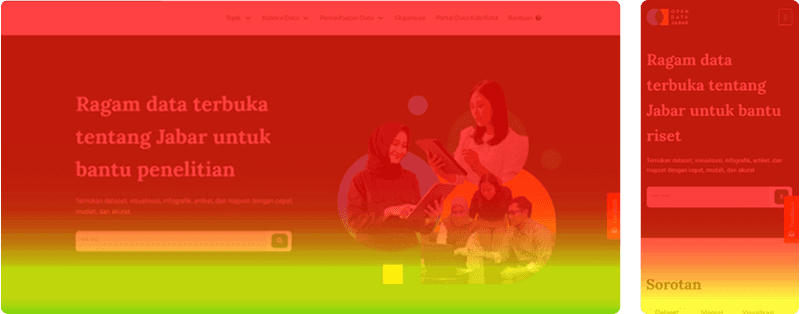
High Scroll, Low Interaction
Users scrolled extensively — especially on mobile — but interaction rates were low. Visibility did not translate into engagement.Users scrolled extensively — especially on mobile — but interaction rates were low. Visibility did not translate into engagement.
Over-Concentration on Top Sections
Most engagement occurred only in the upper section of the homepage. Deeper content sections were rarely explored.
Friction in Search Flow
The previous search experience required users to:
Click search
Navigate to a dedicated search page
Enter a keyword
Manually refine results
There were no:
Real-time suggestions
Trending dataset recommendations
Related dataset surfacing
Search functioned as a utility — not as a discovery tool.
Core Challenge
Designing for a public government platform means designing for everyone
The challenge was balancing:Designing for a public government platform means designing for everyone
The challenge was balancing:
Simplicity for first-time users
Depth for experienced data analysts
Accessibility across mobile devices
Clarity in a data-heavy environment
Constraints
As a government product, the redesign operated under several constraints:
Search relied on an existing backend API
Filtering options were limited to available dataset metadata
Government branding guidelines restricted drastic visual changes
Stakeholder approvals were required before release
Limited development resources affected iteration speed
Strategy Shift

Rather than treating search as a separate feature, I reframed the platform around two strategic shifts:
From Passive Homepage to Discovery Hub
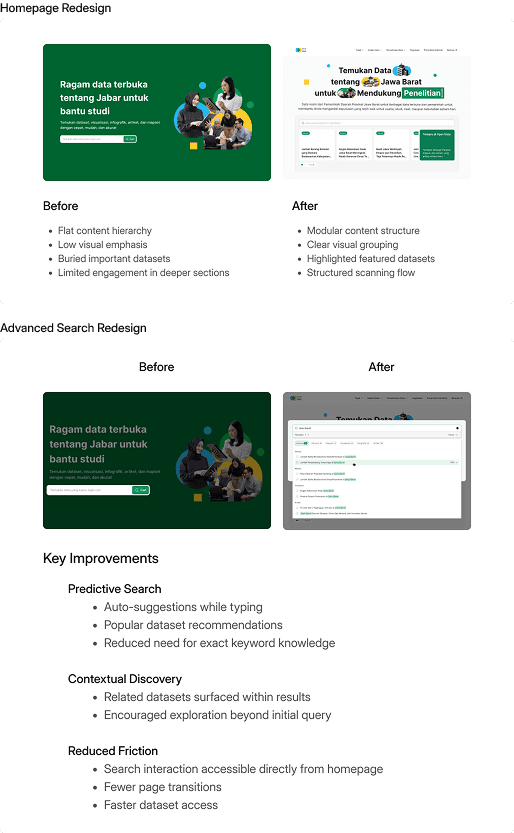
Rebuilt the homepage with modular sections
Elevated high-value datasets to top positions
Improved visual hierarchy for better scanning
Reduced content overload
From Reactive Search to Predictive Assistance
Enabled inline search interaction
Introduced real-time query suggestions
Surfaced trending and popular datasets
Displayed related datasets during search
Reduced unnecessary page transitions
Design Process
Understanding the System & Behavior
Before sketching anything, I needed to understand two things:
How users behaved
What the system allowed
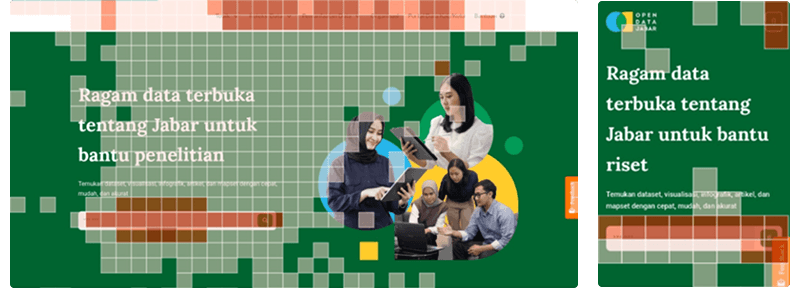
I reviewed analytics across a 3-month window and observed:
High scroll depth, especially on mobile
Low interaction in deeper homepage sections
Concentrated engagement at the top of the page
Friction in search due to multi-step navigation
I also aligned with data analysts to understand:
Existing search API limitations
Available metadata fields
Technical feasibility for real-time suggestions
Mapping the Current Experience
To clarify friction points, I mapped the existing flow.

Pain Points:
Extra page transition
No predictive support
No exploratory guidance
High cognitive load for new users
Mapping the Current Experience
Before jumping into wireframes, I defined 3 principles to guide decisions:
Reduce Friction
Minimize steps and unnecessary transitions.
Guide Discovery
Support users who don’t know exact dataset names.
Balance Simplicity
Maintain advanced filtering without overwhelming new users.
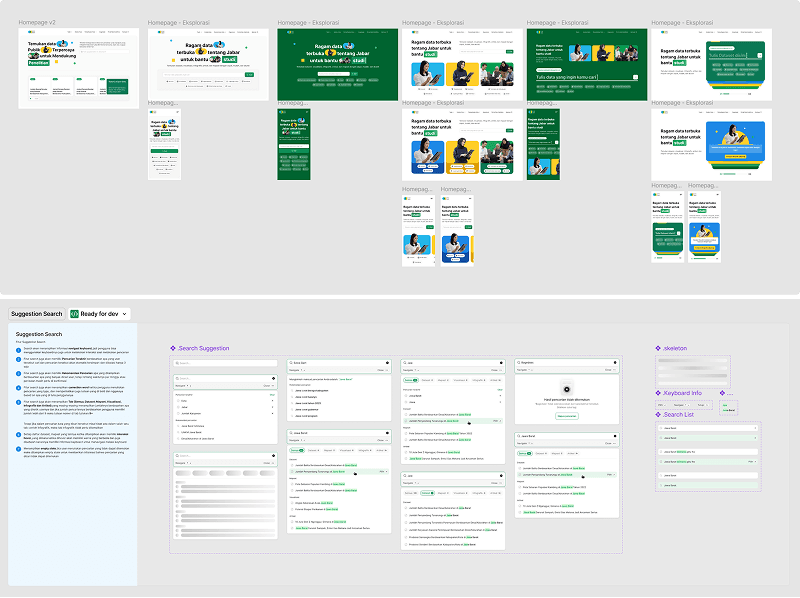
Exploring Move Pixels
Start explored multiple approaches
Concept on How We Solve the Problems
The redesign prioritized clarity over density, ensuring users could quickly identify relevant content without excessive scrolling
Validation & Impact

The redesign was deployed in staging and validated through user testing and stakeholder review.The redesign was deployed in staging and validated through user testing and stakeholder review.
Reduced Time-to-Find
During usability testing, users were able to locate datasets faster compared to the previous experience.
Improved Search Confidence
Users responded positively to:
Real-time suggestions
Trending dataset visibility
Simplified interaction flow
The predictive elements reduced uncertainty, especially for users unfamiliar with dataset naming conventions.
Positive Stakeholder Feedback
Stakeholders noted that:
The homepage felt more structured and purposeful
The search experience appeared more intuitive
The recommendation concept aligned with long-term engagement goals
Due to internal policy, detailed production metrics cannot be publicly disclosed.
Key Learnings
Search Is About Guidance
Many users don’t know exactly what they’re looking for. Predictive support improves confidence and reduces friction.
Engagement Requires Hierarchy
High scroll depth does not equal meaningful interaction. Content prioritization matters more than content quantity.
Public Products Require Balance
Government platforms must remain accessible while supporting complex data exploration needs.
Designing for a broad audience requires simplicity without oversimplifying functionality.